
Loyalty: A simpler way to reward your regulars
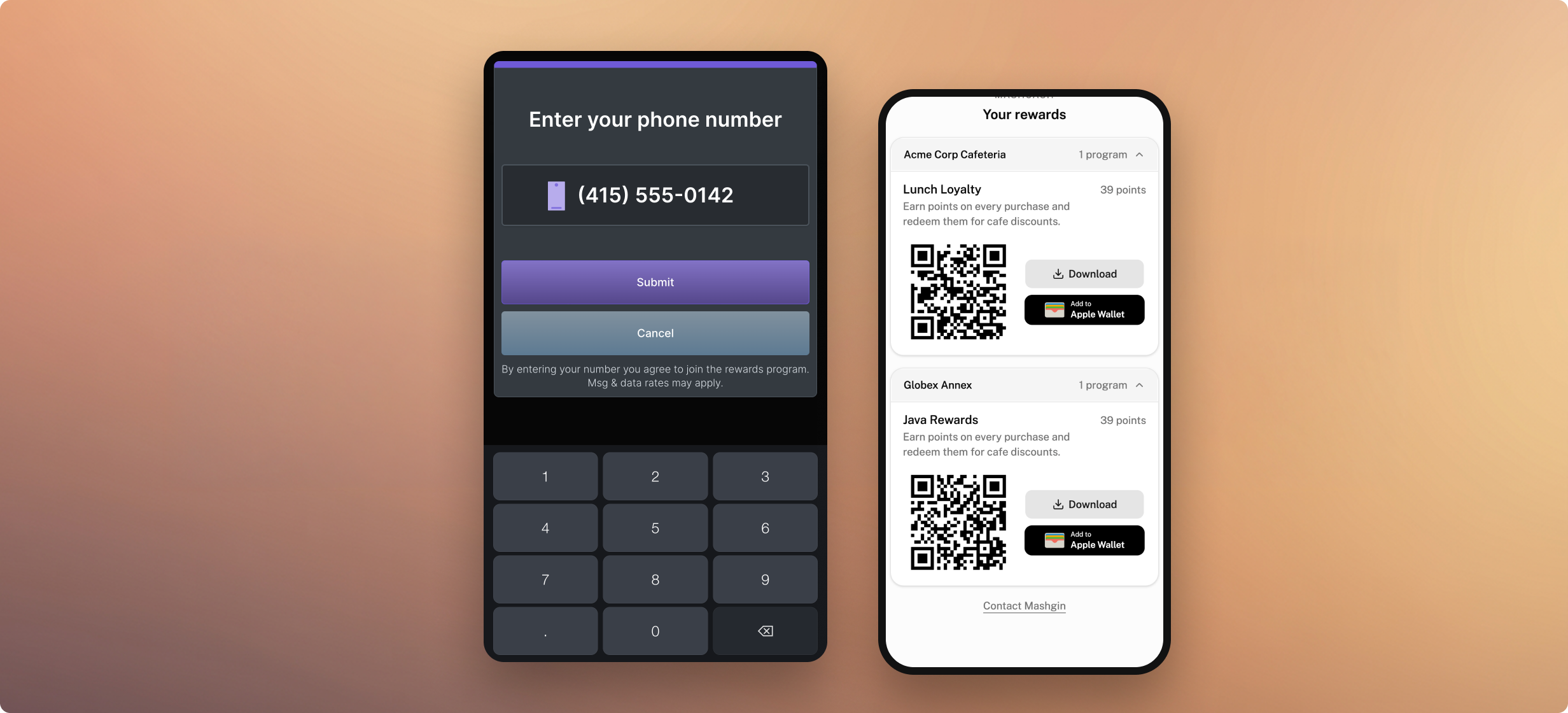
Loyalty programs fail when they get in the way.
Nobody wants to hold up the lunch rush while downloading an app, digging through an inbox for an activation code, or remembering a password. When the hassle outweighs the payoff, guests skip it, and operators end up managing a ghost program.
Loyalty is a simple, no-app points program built directly into checkout, giving you control over what earns points and what each reward costs.
Guests join with a phone number, can add a pass to Apple Wallet or Google Wallet, and scan it at checkout. Behind the scenes, operators get member-level activity and a ledger of every point, all managed in the admin portal, with no third-party vendor or extra hardware.
Here's how it works, what the portal looks like, and how it fits into your rush hour.
1. Pick a program
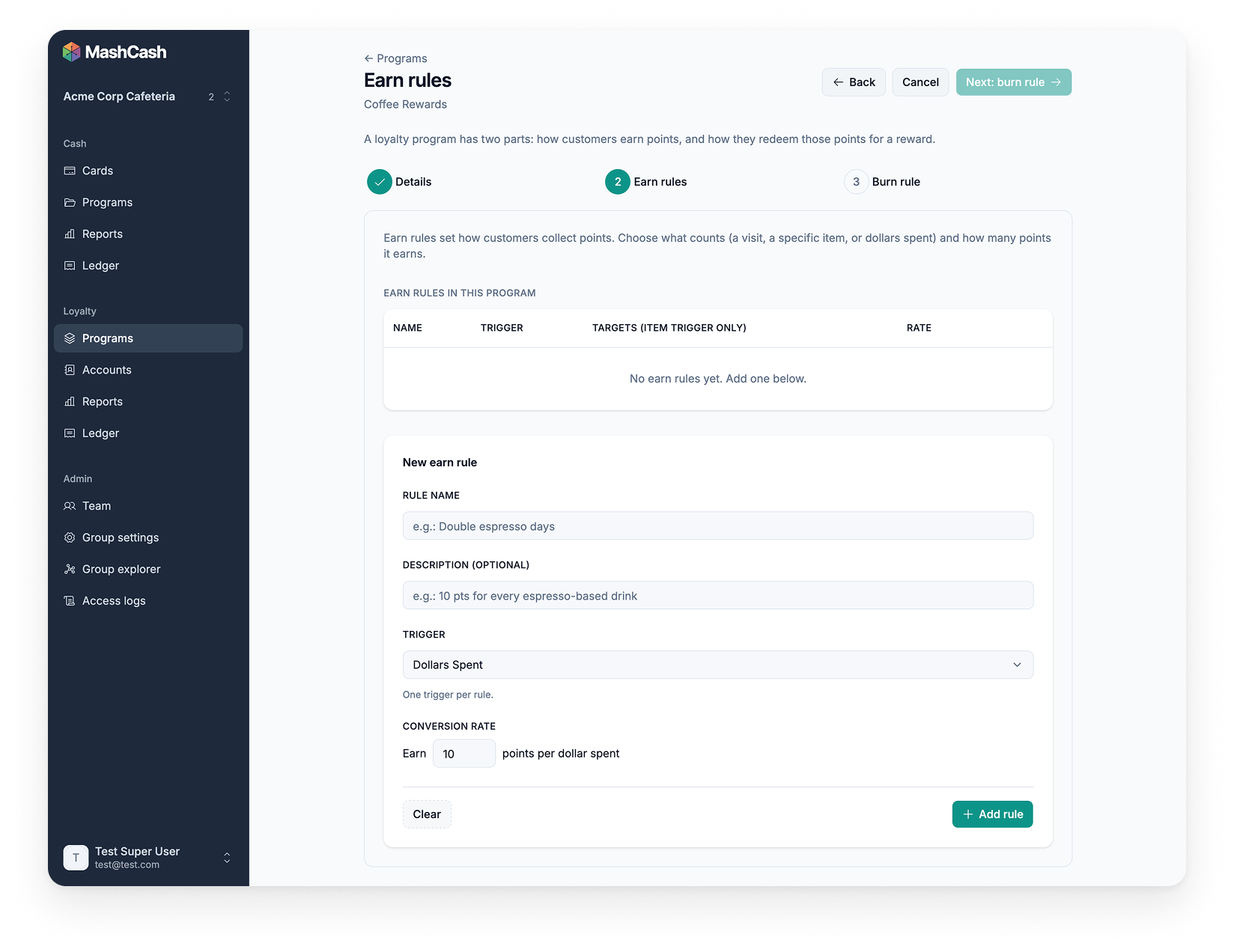
Your guests don't all behave the same way, so your program shouldn't either. Building a program takes three steps: name it, choose how points are earned, choose the reward. No engineering needed, and you can be live in one day.
Members can earn three ways, and one program can mix them:
- Total spend. Points per dollar. Simple and familiar.
- Specific items. Put points on the croissant or the seasonal drink you want to spotlight.
- Visits. Points for showing up, once a day at most, however many purchases.
Rewards can be dollars off, percent off, or a set price, on the whole purchase or a single item. You decide what each one costs. You can edit or pause the program any time, so version one can be a good guess.
Say you want a coffee card: buy nine, get the tenth free. Every coffee earns a point. At nine points, the next coffee is free.
Running more than one venue? A program can run at one site or across every location in a group, including nested groups.
2. Join with your phone number. No app needed.
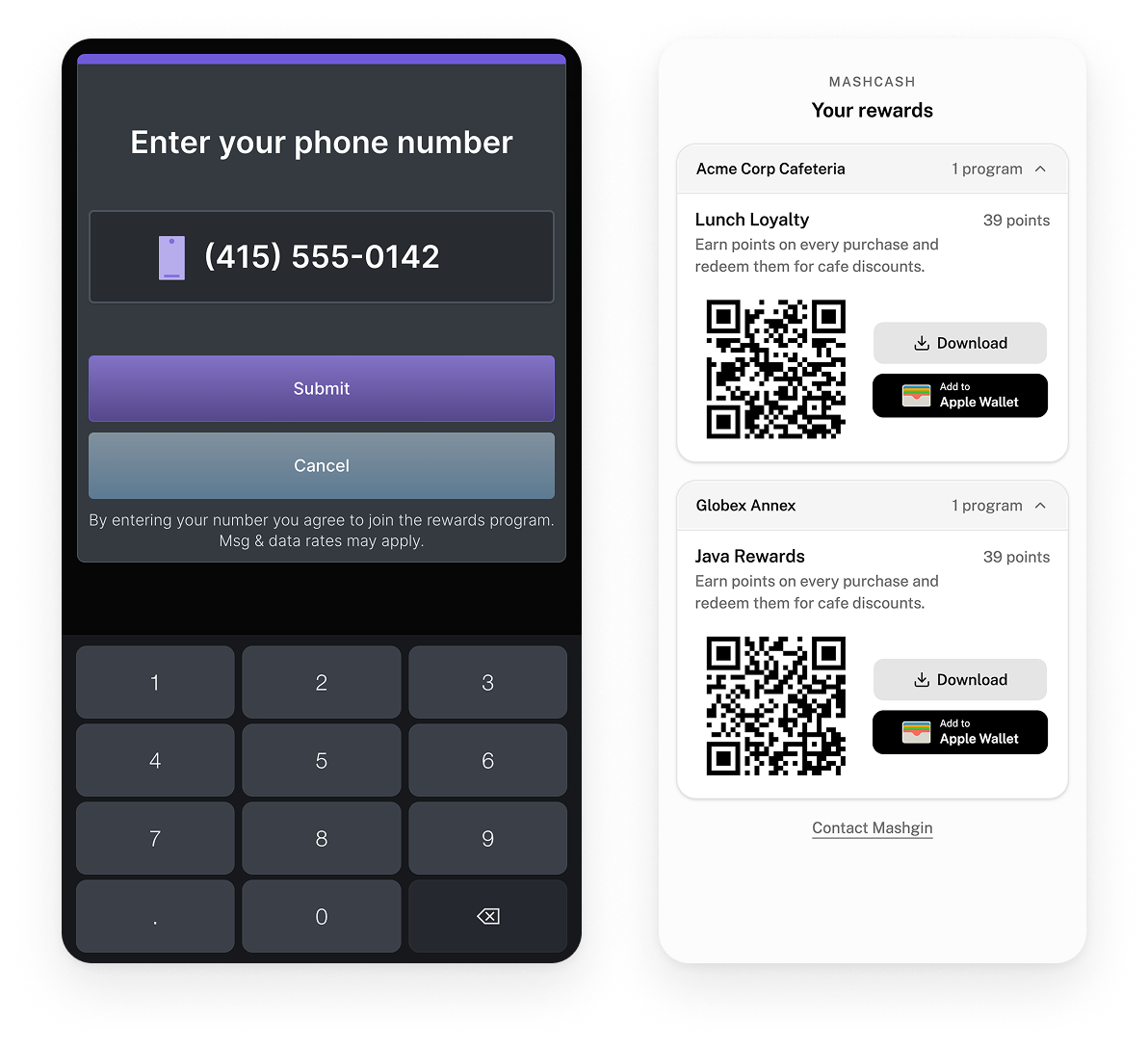
If a guest needs to visit the App Store, you've already lost them. Loyalty works from a phone number and a text message. Apple Wallet and Google Wallet are there if they want them.
Here's how it goes for your coffee regular. The first time, they enter a phone number at the kiosk and get a welcome text. The link in that text opens their balance and QR code, plus every program they belong to. After that, they enter the number again or scan the QR code, and every coffee adds a point. Once they hit nine, the next coffee is free, and the receipt shows their new balance.
Already have a roster? Upload a CSV and preview the accounts before anything goes live. Each new member gets a welcome text or email with a link to their rewards. Your best customers are already members the first time they check out.
3. Clear member insights
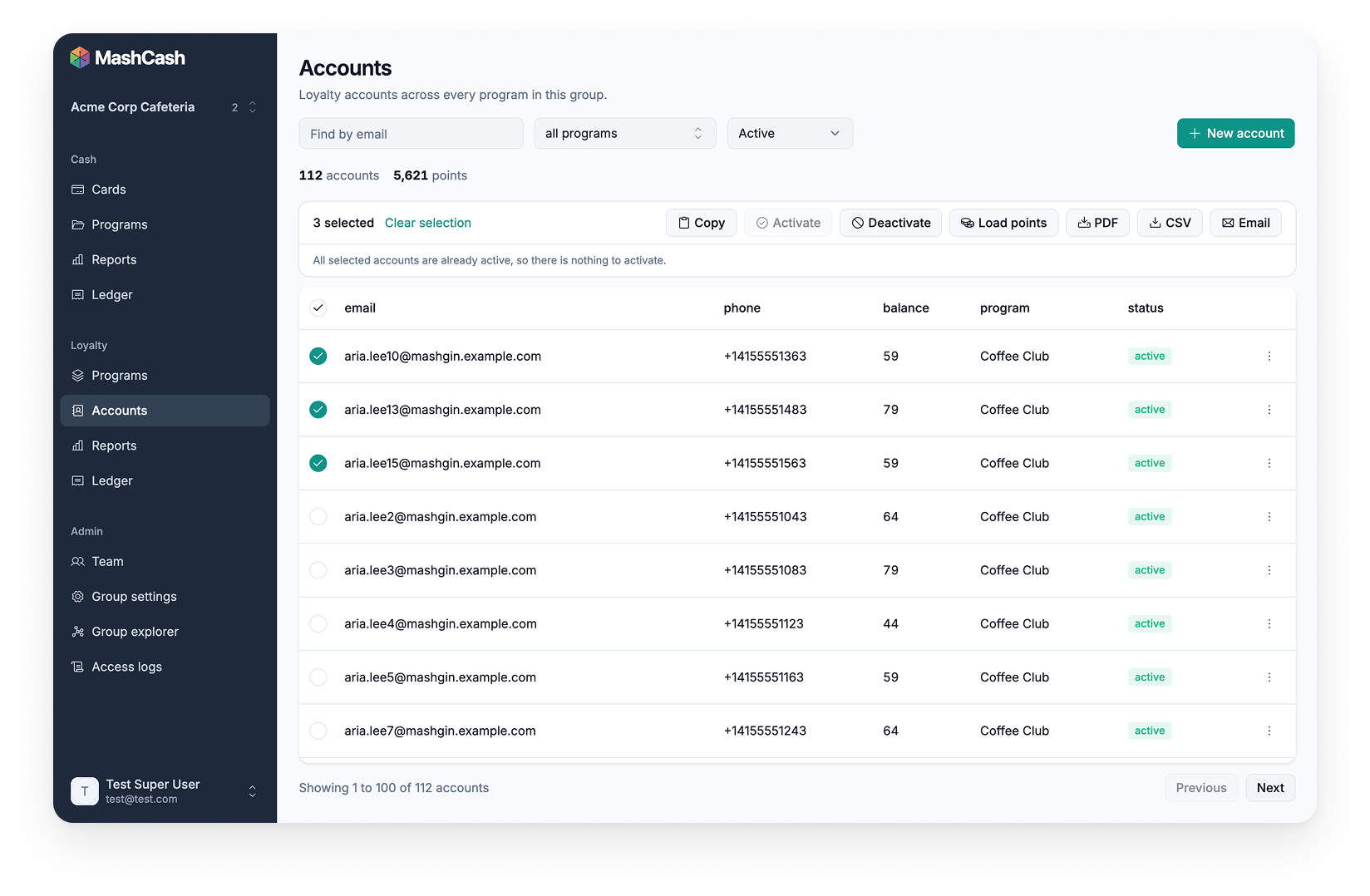
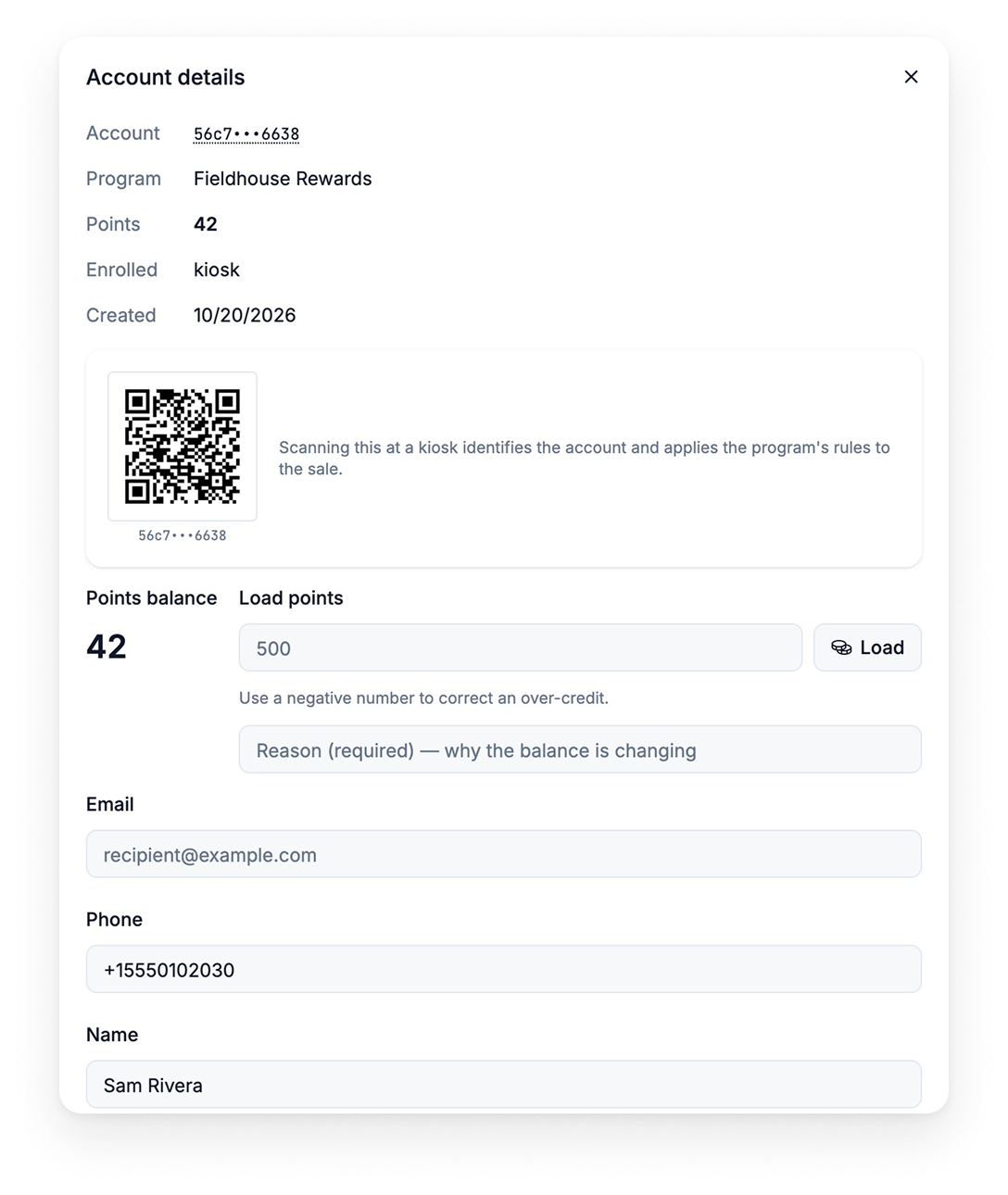
Managing a loyalty base shouldn't require a master's degree in SQL. Pull up any member and see their activity. When a balance looks off, a manager can fix it from a phone: add or remove points with a reason on record. Rosters change, so you can also activate, deactivate, or email QR codes to members in bulk.
Activity is organized by member, not by card, so you can see who keeps coming back.
4. A ledger finance can reconcile
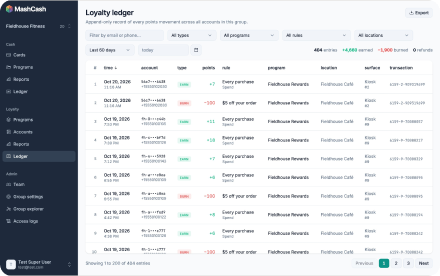
Finance will ask how much value is sitting out there. The ledger has the answer: every point earned, used, or adjusted, tied to the order it came from.
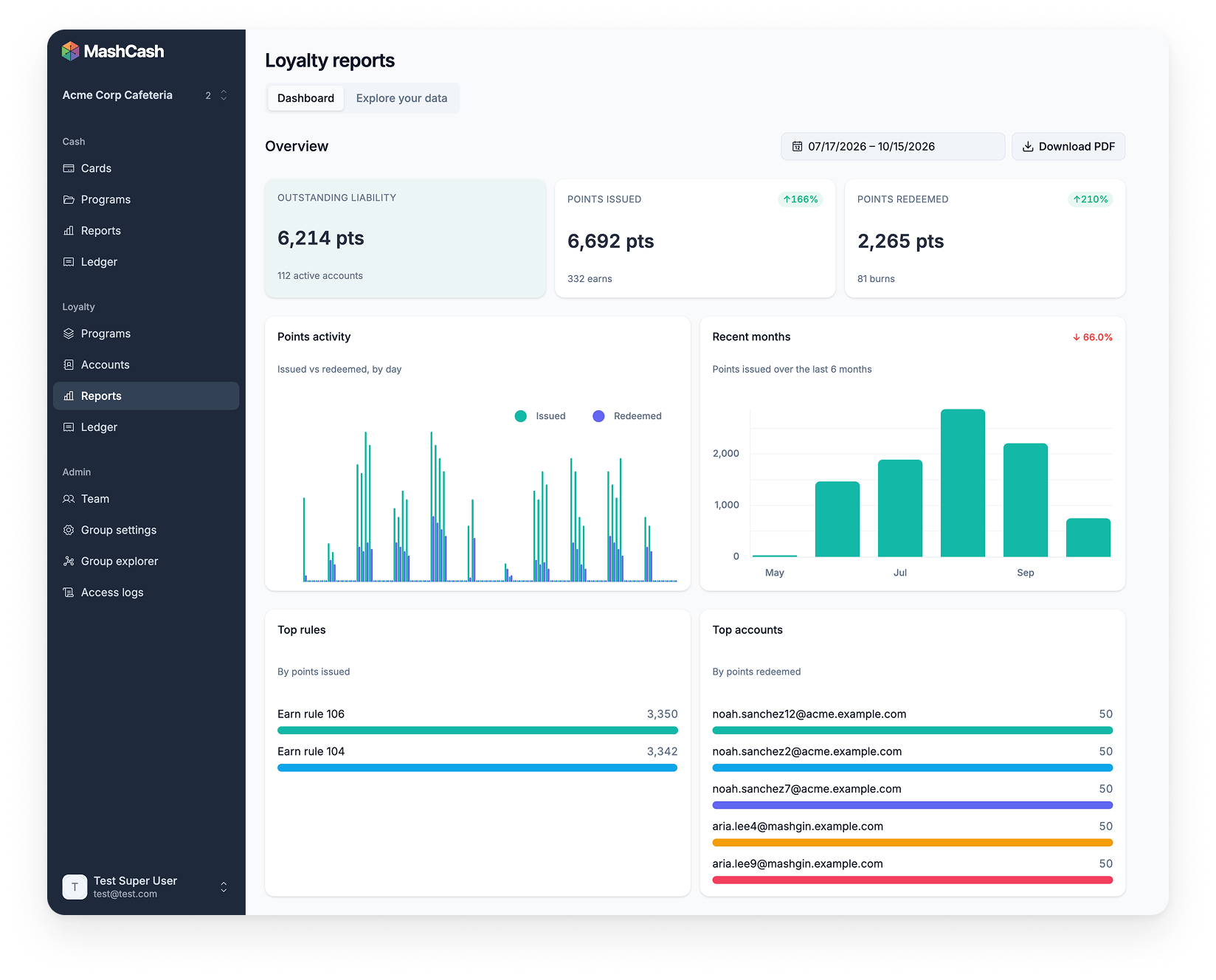
The reports dashboard shows points outstanding, issued, and redeemed. Break them down by program, rule, member, or location, and see your top rules and top members. For finance, export the ledger to CSV, or the reports to CSV or PDF.
Every point has a record, so month-end is a check, not a hunt.
5. Works with MashCash
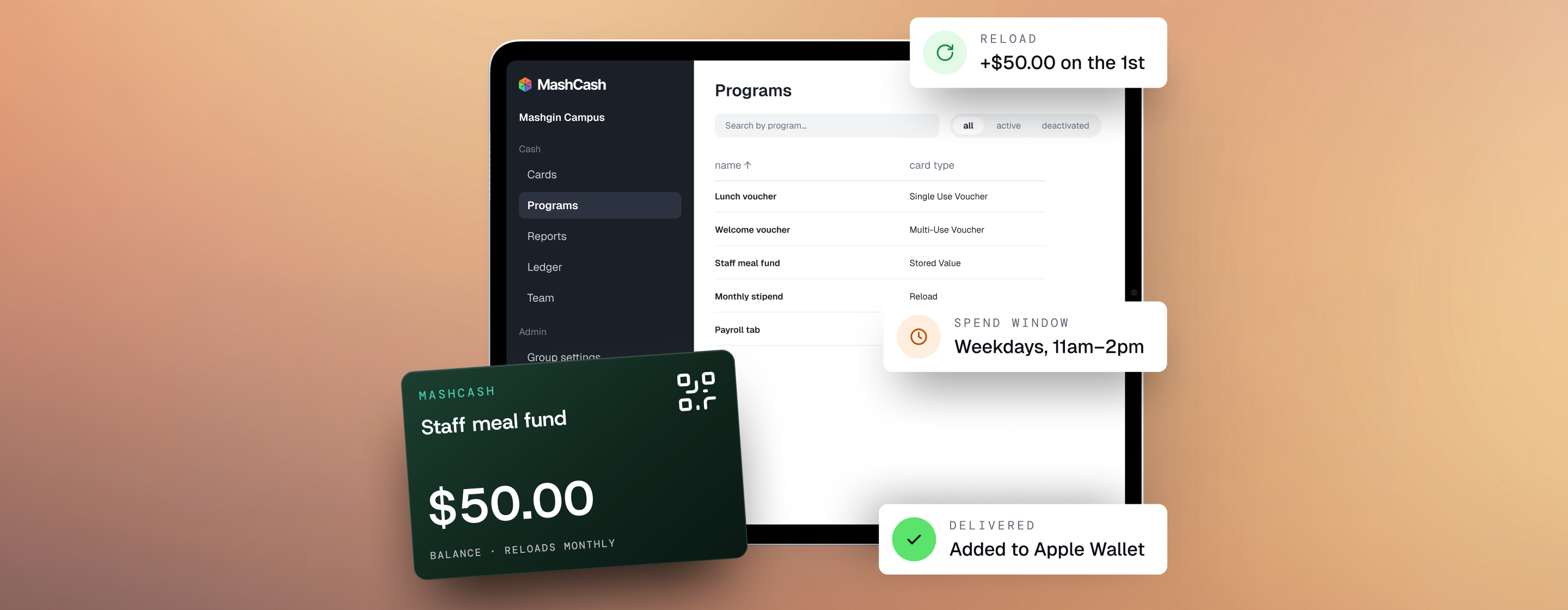
Loyalty and MashCash do different jobs. Loyalty is the reward, applied as a discount. MashCash is how people pay, with stored value. One sale can use both. The reward comes off the total, and the member pays the rest with MashCash, a card, or a mobile wallet.
Both run from the same admin portal and login, and both use the groups, locations, and roles you already set up in Mashgin Cloud. Managers and above edit programs. Other roles manage members. That way a site can't change a program that runs across your whole organization.
Ready to reward your regulars?
Your regulars are coming in tomorrow anyway. Give them a reason to keep choosing you.
Want to see the setup in action? Reach out to your account manager or book a live walk-through with our team to get started.
By providing your phone number or initiating a text conversation with Mashgin, you consent to receive SMS messages related to support updates, existing cases, account notifications, and service alerts.Message frequency may vary. Message and data rates may apply. You can reply STOP at any time to opt out.For more information, please review our Privacy Policy and Terms of Service.